 Made in Germany
If you had to pick one image to represent you at work for the next year, what would it be: a rushed phone selfie, a studio photo from three years ago, or something newly generated that looks like you on your best day?
That little dilemma is popping up everywhere-because AI headshots trends 2026 aren’t a quirky side experiment anymore. They’re sliding into the normal toolkit for how people signal credibility, how teams show up consistently, and how companies move faster when hiring, promoting, or rebranding.
But here’s the catch: a headshot isn’t “just a picture.” It’s a trust cue. When something is slightly off, people feel it before they can explain it. When it looks polished but too perfect, it can backfire. And when a company rolls out portraits at scale, the smallest governance gap can turn into a privacy issue, a brand mess, or an internal morale problem.
So we’ll keep this practical. We’ll talk about what’s changing in quality, adoption, and expectations, plus how to use AI portraits without drifting into uncanny or misleading territory. You’ll learn how to evaluate generators, how teams deploy them, what to disclose (and when), and what to measure so you’re not guessing.
What Are AI Headshots?
AI headshots are professional portraits generated with machine learning models trained on a set of reference photos of a person. Instead of capturing a single image in a studio, these systems analyze facial structure, lighting patterns, and visual identity signals from multiple input images, then generate new portraits that preserve the person’s likeness.
The goal is not to invent a new face, but to produce a realistic professional photo that could plausibly have been taken by a camera. Modern systems adjust elements such as lighting, background, clothing style, and framing while maintaining consistent facial identity.
In practical terms, AI headshots function as a scalable alternative to traditional photography. Individuals can generate a new professional portrait quickly, while companies can create consistent headshots across large teams without coordinating in-person photo sessions.
AI Headshots Trends 2026: Why This Market Matters Now
AI portraits are becoming a default workflow, not a novelty. The reason is simple: professional images used to be scarce, expensive, and slow to update. Now you can produce them on demand-and that changes how individuals and organizations think about identity online.
Three forces make this market matter in 2026.
First, the “everywhere profile” effect: the same headshot now travels across LinkedIn, email signatures, CRM records, meeting invites, org charts, press pages, and vendor portals. Second, remote and hybrid work still reduces access to in-person photo days, especially for global teams. Third, expectations have shifted. People don’t compare your photo to a casual selfie anymore. They compare it to a clean, high-performing corporate portrait.
A punchy truth: headshots are becoming infrastructure.
If you’re an individual, that infrastructure shapes first impressions in networking, job searching, and sales conversations. If you’re a company, it affects employer branding, directory hygiene, and brand consistency. And because AI can create unrealistic signals, this market is tightly linked to ethics, disclosure, and authenticity standards.
The 2026 State of AI Headshots: Adoption, Spending, and Core Use Cases
In 2026, the market is defined less by whether AI portraits “work” and more by which workflows organizations actually trust. Adoption has widened from individuals experimenting for LinkedIn to structured programs inside HR, Communications, and IT.
A useful mental model: AI headshots have split into two categories. There are consumer-style, self-serve tools (fast, cheap, DIY). Then there are team-grade systems built for governance, consistency, and support-because once you’re generating portraits for 50, 500, or 5,000 people, “just upload and hope” stops being a strategy.
Market size, vendor landscape, and consolidation signals
You can see consolidation in how tools position themselves. Some vendors compete on volume and speed for teams. Others bet on premium identity fidelity and revision workflows, often pairing automation with a human review option.
Meanwhile, design platforms and camera apps keep adding portrait features. That squeezes standalone vendors: they either specialize (security, batch workflows, brand consistency) or get absorbed into larger ecosystems.
Spending is often justified as a replacement for “photo day” logistics, not just camera work. When you include scheduling, travel, editing, approvals, and internal coordination, even mid-sized teams can spend far more than they planned. In 2026, budget owners increasingly treat portrait generation as part of brand operations rather than a one-time creative purchase.
Who is adopting: functions, seniority, and industries
Adoption is highest where profiles are part of the job: recruiters, founders, sales, customer success, and anyone customer-facing. Senior leaders adopt for consistency across public channels, but there’s also growing uptake among early-career professionals who want a credible presence fast.
Industries show different comfort levels. Tech, consulting, and professional services tend to move quickly (speed is part of the culture). Healthcare and financial services move more cautiously, often requiring documented review steps. Education and nonprofits adopt for staff directories and speaker pages when budgets are tight-and when “good enough, consistent, and current” beats “perfect but never scheduled.”
Primary use cases: LinkedIn, org charts, hiring, sales enablement
The day-to-day use cases cluster around speed and consistency.
On LinkedIn, people want a stronger first impression and less friction when networking. In org charts and staff directories, a clean directory improves internal navigation and helps distributed teams build familiarity (“Wait-who is Priya on this call?” becomes less common). In hiring, careers pages and recruiter profiles look more cohesive. And in sales enablement, outbound emails and meeting invites get a subtle trust boost when photos look current and consistent.
One line worth remembering: people don’t read your bio first. They scan your face.
What changed since 2024-2025: quality, policy, and user expectations
Compared with 2024 and 2025, quality improvements are most visible in skin texture, hair detail, and lighting realism. Many tools are also better at preserving “you” across multiple outputs, which matters when you need options without losing identity.
Policy and expectations changed, too. Teams now ask about consent, retention, and provenance as a matter of routine. Users are also pickier: they notice when a tie looks painted on, when teeth are unnaturally uniform, or when the background has geometry that makes no physical sense. The bar is higher, and “good enough” is a moving target.
AI LinkedIn Headshots Best Practices for 2026
LinkedIn is still the highest-leverage channel for professional portraits because it compresses trust, relevance, and context into a tiny circle. The best AI portraits in 2026 don’t scream “AI.” They just look like a well-executed professional photo.
Before you upload anything, ask yourself a blunt question: would a colleague recognize you instantly on a video call? If the answer isn’t an immediate yes, keep iterating.
Composition, framing, attire, and background that perform on LinkedIn
Strong LinkedIn photos usually share the same fundamentals: clear eye contact, a relaxed jaw (not a forced grin), and lighting that feels natural. Crop for head and shoulders, keep the face large enough for mobile, and avoid busy backgrounds that compete with your expression.
Attire should match the role you want, not the role you had. A hoodie can be right for a startup engineer, but it may underperform for a client-facing consultant. Backgrounds work best when they’re simple: soft gradients, tasteful office blur, or a neutral tone. Anything that looks like a glamour shoot can feel mismatched for LinkedIn.
A quick reality check: if your portrait looks like it belongs on a movie poster, it’s probably too much for a professional network.
Authenticity and disclosure: what to say in profile and posts
Disclosure is situational. If you’re using an AI portrait because you don’t have a recent photo, you can be transparent without making it awkward. Plenty of people never mention it unless asked. Others bring it up in a post, especially if they’re already talking about AI at work.
If you choose to disclose in your profile, keep it calm and factual. For example: “Profile photo created with AI from my own photos.” The goal isn’t confession. It’s clarity.
Accessibility and DEI considerations for profile images
Accessibility is often forgotten, but it matters. Make sure your face isn’t swallowed by shadow, and avoid backgrounds that reduce contrast.
For DEI, watch for subtle style drift. Some generators can lighten skin tone, alter eye shape, or standardize hair texture. These changes aren’t “preferences”; they’re identity distortions. A practical habit is to compare outputs against a recent candid photo in natural light. If the portrait shifts traits that are culturally meaningful, treat it as a failure-not a cosmetic upgrade.
Workflow: from generator output to LinkedIn upload and testing
Here’s a simple checklist you can run each time you update your LinkedIn headshot. It helps you avoid the uncanny valley and makes your results more consistent (and if you want a deeper breakdown of what works and what fails, see this AI LinkedIn photo guide):
- Pick one “control” photo of yourself that friends agree looks like you, then compare every AI output to it.
- Choose portraits where facial proportions match your real face, especially around eyes, jawline, and smile.
- Zoom in to check small artifacts: earrings, glasses edges, hairline, collar symmetry, and teeth.
- Export at high resolution, then crop inside LinkedIn so the face stays centered in the circle.
- Give it two weeks, then review changes in profile views and connection acceptance before locking it in.
Corporate AI Headshots for Teams and Org Charts: Operational Playbook
For companies, portraits aren’t a personal preference project. They’re an operational rollout. The fastest programs treat headshots like a lightweight identity system: collect inputs, apply a style standard, review exceptions, and distribute to every place the image appears.
To make this real, imagine onboarding 200 people a quarter across three regions. Without a system, you end up with a patchwork of selfies, wedding photos cropped to shoulders, and headshots from five employers ago. With a system, every new hire looks like part of the team on day one.
Centralized source photo collection, consent, and data retention
Start with consent that’s explicit and understandable. Employees should know what images they submit, how long they’re retained, and who can access them. Centralize intake using a secure form tied to SSO where possible, and collect a minimal set of source photos.
Data retention is where many teams stumble. A good default is: keep source images only as long as needed for generation and revisions, then purge. Keep the final approved portrait in your DAM or directory system with clear ownership.
For governance reference points, many security teams align with frameworks like the NIST AI Risk Management Framework even if they don’t implement it formally.
Style governance: background, crops, and attire by function and region
A style system prevents endless debates. Define background options, crop rules, and color grading. Make it easy for employees to choose from a few approved looks rather than improvising.
Regional norms matter. A highly formal jacket-and-tie look might feel right in one market and stiff in another. Instead of forcing uniformity, aim for coherence: consistent framing and lighting, with region-appropriate attire guidance.
Change management with HR, Legal, IT, and Communications
Rollouts go smoother when each stakeholder has a clear lane. HR owns participation and employee communications. Legal reviews consent language and misrepresentation risk. IT and Security assess vendor controls, access, and retention. Comms and Brand define the style guide and review standards.
One line to repeat in stakeholder meetings: consistency is a brand asset, but consent is the price of admission.
Mini case: Rolling out headshots to a 1,000-employee org in 6 weeks
A mid-market software company with about 1,000 employees ran a six-week rollout to refresh their org chart, intranet, and sales enablement profiles. They used a centralized intake form, a three-style lookbook, and a two-stage review: an automated check for artifacts, then a human approval pass for leadership and customer-facing roles.
Outcome: 92% participation, a directory refresh completed in 41 days, and an estimated cost reduction of about 65% compared with their prior in-person photo day plan when they included scheduling time and travel. They also reduced “who is who” confusion in Slack. HR measured it with a short internal survey showing a 23% improvement in perceived ease of cross-team collaboration.
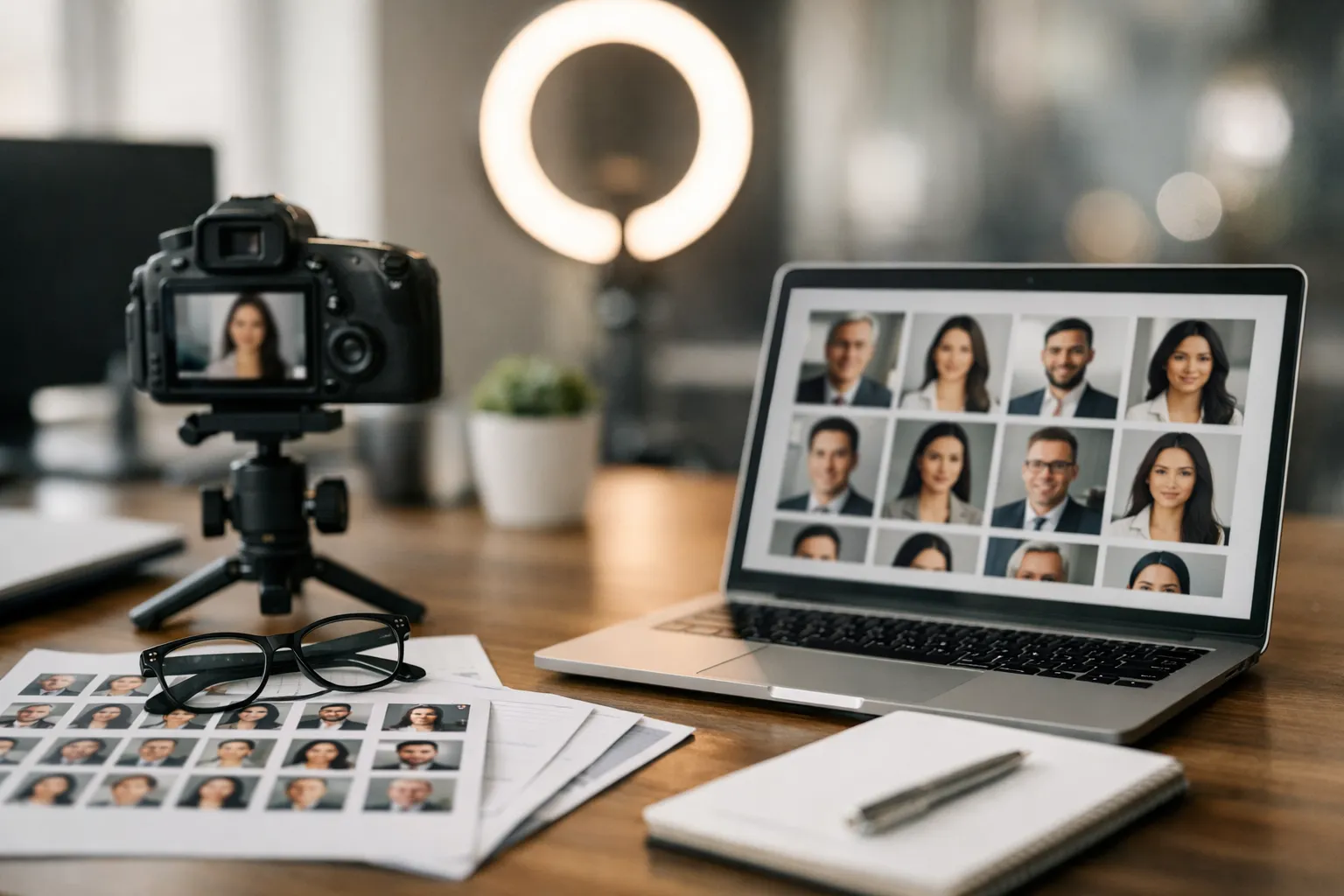
Professional AI Portraits vs Traditional Photography: Costs and Quality in 2026
This comparison isn’t really about which approach is “better.” It’s about which constraints you have.
Traditional photography still wins on absolute authenticity and nuanced expression-the tiny, human details: the way someone smiles when they’re actually relaxed, or the look in their eyes when they’re talking to a real person behind the camera. AI portraits win on speed, repeatability, and distribution at scale.
A simple metaphor: a studio session is a bespoke suit. AI portraits are a well-tailored uniform program.
Cost models: per-user licensing, seats, credits, and studio day rates
AI vendors usually charge per person, per seat, or via credit bundles. Traditional photography is often priced per session, per delivered image, or as a day rate plus retouching.
Teams should look beyond sticker price. The hidden costs in photography are scheduling, travel, and the time it takes to chase missing photos. The hidden costs in AI are revision cycles, support, and governance-especially when you’re trying to get one consistent look across multiple regions.
Quality dimensions: identity fidelity, lighting, lens emulation, retouching
Quality has multiple dimensions. Identity fidelity is the big one: does it look like the person across different expressions, outfits, and backgrounds? Lighting realism is next: does it look like a plausible camera setup, or like a face pasted onto a mood board?
Lens and sensor simulation can add depth, but it can also create a fake “studio” look if overdone. Retouching is tricky, too. Traditional retouching usually preserves skin texture while removing temporary blemishes. AI can accidentally smooth too much, changing age cues and undermining authenticity.
ROI scenarios: break even for SMBs, mid market, and enterprise
For SMBs, AI often breaks even quickly because hiring and sales depend on online presence and budgets are tight. Mid-market teams tend to see ROI when they standardize staff directories and refresh images on a predictable cadence (often annually). Enterprises see ROI when they integrate portraits into HRIS and DAM workflows, reducing coordination overhead across regions.
The practical question is: where is your organization currently paying the “invisible tax” of inconsistent or outdated portraits-lost time, avoidable confusion, brand slippage, and repeated one-off requests?
Support and SLAs: revision policies, turnaround, and uptime
Support matters more than many buyers expect. If a vendor offers revision workflows, human review, and clear turnaround times, adoption increases. For enterprise programs, uptime, incident response, and documented processes can be as important as the portraits themselves.
The table below is a practical way to compare options in 2026.
| Dimension | AI portraits (typical) | Traditional photography (typical) |
|---|---|---|
| Unit cost | Low to medium per person, volume friendly | Medium to high per person, plus retouching |
| Speed | Hours to days | Days to weeks depending on scheduling |
| Consistency across locations | High if style system is enforced | Variable across photographers and studios |
| Identity fidelity | Improving, but can drift | Very high when shot well |
| Revision workflow | Often built in, sometimes paid | Manual, can be time intensive |
| Governance needs | Higher: consent, retention, provenance | Lower: still needs consent and rights management |
AI Headshot Generator Comparison and Evaluation 2026: Models, Features, and Fit
Choosing a generator in 2026 isn’t just about “who makes the prettiest image.” It’s about how the tool behaves under pressure: different skin tones, glasses, textured hair, regional attire, and brand-style constraints.
Treat evaluation like a product test, not a vibe check.
Evaluation criteria and test plan: identity, style control, and failures
Run a controlled test with a small pilot group that includes a range of demographics, lighting conditions, and roles. Use the same set of source photo requirements across tools so comparisons are fair.
Define what failure looks like before you start. Common failure modes include mismatched facial structure, altered ethnic traits, artifacts around glasses, unnatural teeth, inconsistent hairlines, and background geometry issues.
One tip from teams that do this well: make the pilot group “real”-not just the leadership team. If the tool only performs on a narrow set of faces, it’s not ready for corporate rollout.
Model quality and bias patterns across demographics
Bias often shows up as “beautification defaults.” Skin tone can shift, facial symmetry can get exaggerated, and age cues can be softened. The impact isn’t evenly distributed, which is why evaluation must include diverse inputs and human review by the people represented.
If you see systematic drift for a subgroup, don’t rationalize it away. Escalate it to the vendor and treat it as a blocker for corporate deployment.
Control features: prompts, lookbooks, attire, backgrounds, and batches
For individuals, simple controls are fine. For teams, you want lookbooks, batch generation, consistent crops, and background governance.
Prompting should be optional for most users, because free-form prompting is where style goes off the rails. The moment 200 employees start improvising prompts, you’ll get everything from “moody CEO lighting” to “TED Talk stage,” and your directory will look like a casting call.
If you’re building a brand system, the killer feature is repeatability: can you generate a new hire’s portrait that matches the established style without weeks of tinkering?
Security and deployment: data handling, PII, on premises, and SOC2
Security review is now standard in corporate programs. Look for clear statements on where images are stored, how they’re encrypted, whether they’re used for training, and how deletion works.
For regulated teams, ask about SOC 2 reports, access logging, and whether an on-premises or private deployment is available. Even if you don’t need it today, your procurement team will ask tomorrow.
The table below gives a simple evaluation matrix you can adapt.
| Category | What to test | What “good” looks like |
|---|---|---|
| Likeness | Compare against a control photo | Immediate recognition by peers |
| Artifact rate | Zoom in on hair, glasses, teeth | Clean edges, natural texture |
| Style control | Apply the same brand look to 10 people | Consistent crops, lighting, backgrounds |
| Batch workflow | Generate for a pilot team | Minimal manual prompting |
| Privacy and retention | Review policies and deletion steps | Clear opt in, short retention, verifiable deletion |
| Support | Ask for revisions and edge case help | Responsive, documented turnaround |
When you explore vendors, it helps to test a few different approaches (and if you want a quick, practical walkthrough, see this AI headshot generator guide), such as Aragon AI, Headyshot, and design suite options like Canva. The point isn’t to crown a single winner. It’s to find the right fit for your risk tolerance and workflow.
Best AI Headshot Generators in 2026
The AI headshot generator landscape in 2026 includes a mix of specialized portrait platforms and broader design tools that added AI portrait capabilities. The right choice depends less on raw image quality and more on workflow, identity fidelity, and governance features.
Dedicated headshot platforms such as Aragon AI and HeadshotPro focus on generating realistic professional portraits from a small set of source photos. They typically offer multiple style options, quick turnaround times, and workflows optimized for LinkedIn profiles or corporate directories.
Other tools approach the problem from a design platform perspective. Products like Canva integrate AI portrait generation into broader visual design workflows, which can be useful for marketing teams already using those ecosystems.
For individuals, the main decision factors are likeness accuracy, revision flexibility, and ease of use. For companies, the priorities shift toward batch generation, style consistency, security policies, and integration with internal systems.
In practice, many teams test several tools with a small pilot group before selecting a generator that balances realism, operational simplicity, and governance requirements.
Technical Evolution in 2026: Identity-Preserving Portrait Synthesis Explained
Under the hood, 2026 tools are better at holding a person’s identity steady while changing lighting, clothing, and backgrounds. That’s what makes corporate adoption possible. Without consistent likeness, the whole category stays stuck in novelty.
If 2024 was about “can it make a good photo,” 2026 is about “can it make a good photo that is still you.”
Identity embeddings, face tracking, and consistent likeness
Modern systems use identity representations that try to capture stable features without copying a single source image. In plain terms, they learn what makes your face your face. Strong systems keep that identity consistent across multiple outputs; weaker ones drift toward a generic ideal.
Face tracking and alignment matter too. If the model misreads facial geometry, you get subtle distortions: an almost-right smile, eyes that feel slightly misaligned, or a jawline that looks like it’s been quietly reshaped. People may not know what’s wrong, but they’ll pause-and that pause is the opposite of trust.
Lighting, lens, and sensor simulation for photorealism
Lighting is often the difference between “generated” and “photographed.” In 2026, better models simulate softbox-style lighting, natural window light, and realistic falloff across cheeks and hair.
Lens simulation can add believable depth and bokeh. It can also create an overly cinematic look that feels out of place on professional profiles. Realism isn’t about drama. It’s about plausibility.
Video-to-headshot and 3D avatar pipelines converge
A growing trend is generating still headshots from short video clips, because video provides more angles and expressions. In parallel, 3D avatar pipelines are improving and sometimes feed the same identity systems. This is where virtual headshot trends 2026 start to intersect with avatar-based meeting tools.
For teams, video-based capture can reduce the “I don’t have good photos” problem. It also introduces new privacy questions, because video contains more incidental information-your surroundings, other people, name badges, even what’s on a whiteboard in the background.
Provenance, watermarking, and content authenticity signals
As synthetic content becomes normal, provenance becomes the safety rail. Standards bodies and platforms are pushing for verifiable “how this was made” metadata.
If you want to track this area, the C2PA initiative is a good place to start. Even if your portraits don’t carry visible watermarks, provenance signals can help organizations defend against misuse and establish trust.
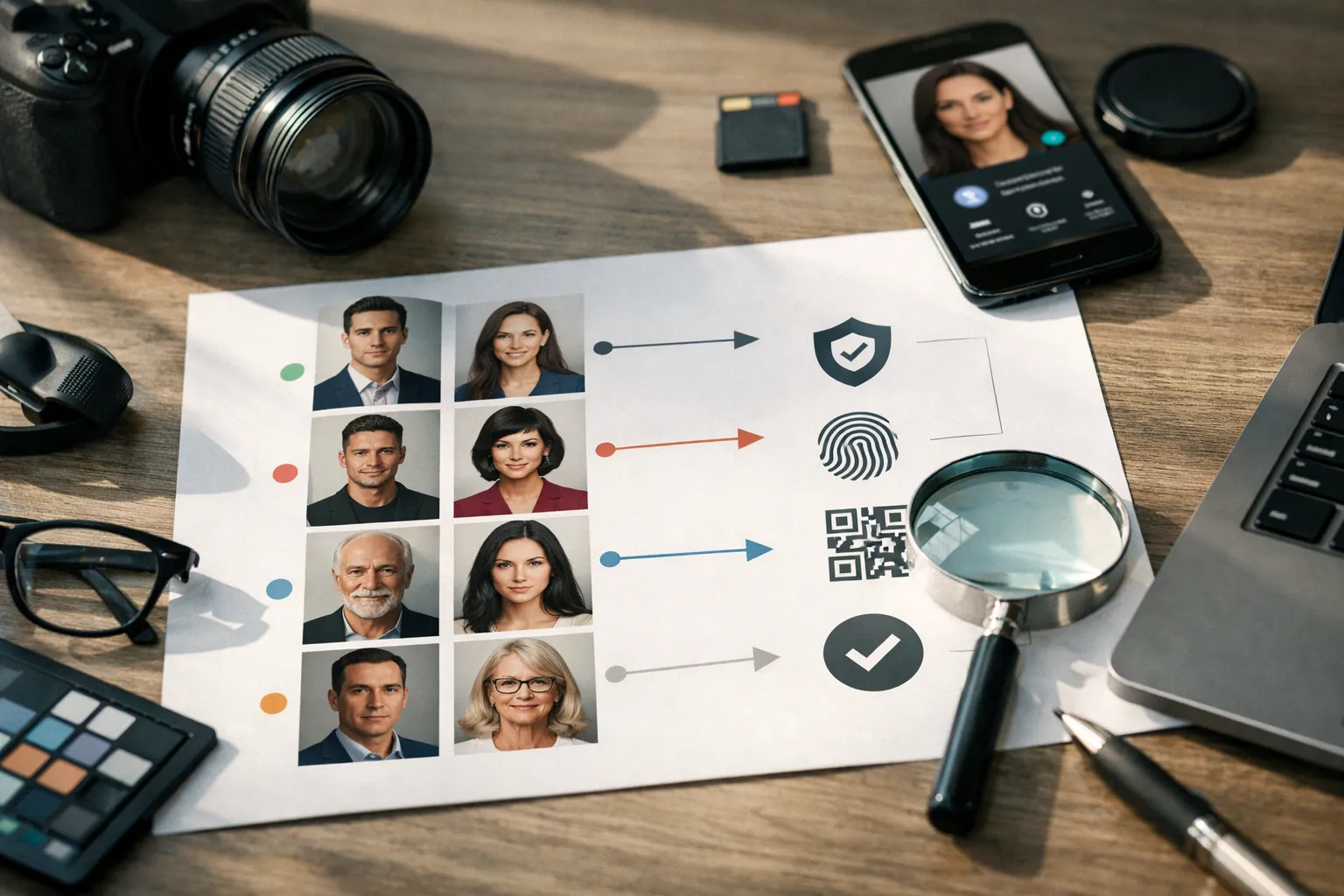
Brand Consistency and Style Systems for Professional AI Portraits
Once a company has more than a few dozen people, the biggest win isn’t individual perfection. It’s system-level consistency. A style system makes portraits reusable across channels and reduces the constant “Can you send me a headshot?” ping.
The secret is to treat portraits like design components, not one-off photos.
Build a reusable headshot style guide and component library
A practical style guide includes crops, background options, wardrobe guidance, and examples of approved and rejected outputs. It also defines how portraits are named, stored, and versioned.
Many teams create a component library in their DAM: square and rectangular crops, transparent-background variants for slides, and a consistent shadow or border treatment for web use. That sounds fussy-until the first time someone needs 30 speaker tiles for a webinar page by tomorrow morning.
Color science, crops, and background gradients for harmony
Color is where inconsistency screams. If half the team has cool lighting and half has warm lighting, your directory looks stitched together. Choose a target temperature and stick to it.
Crops should be consistent, too. If one person’s face fills 70% of the frame and another fills 30%, your org chart feels chaotic. Simple rules beat subjective debate.
Cross-channel reuse: email signatures, Slack, intranet, press kits
In 2026, organizations reuse portraits everywhere. Slack avatars improve recognition in busy channels. Email signatures add credibility for customer-facing teams. Press kits and speaker pages look more cohesive.
A micro-story: one marketing director told me their webinar landing page conversion improved after they standardized speaker headshots to a single style. Nothing else changed. People just trusted the page more.
Localization: norms across APAC, EMEA, and the Americas
Localization isn’t a “nice to have.” It’s respect. Formality, color preferences, and background expectations vary across regions. A global style system should allow a small set of regional variants while still maintaining consistent framing and quality.
One line to keep your team aligned: global consistency, local correctness.
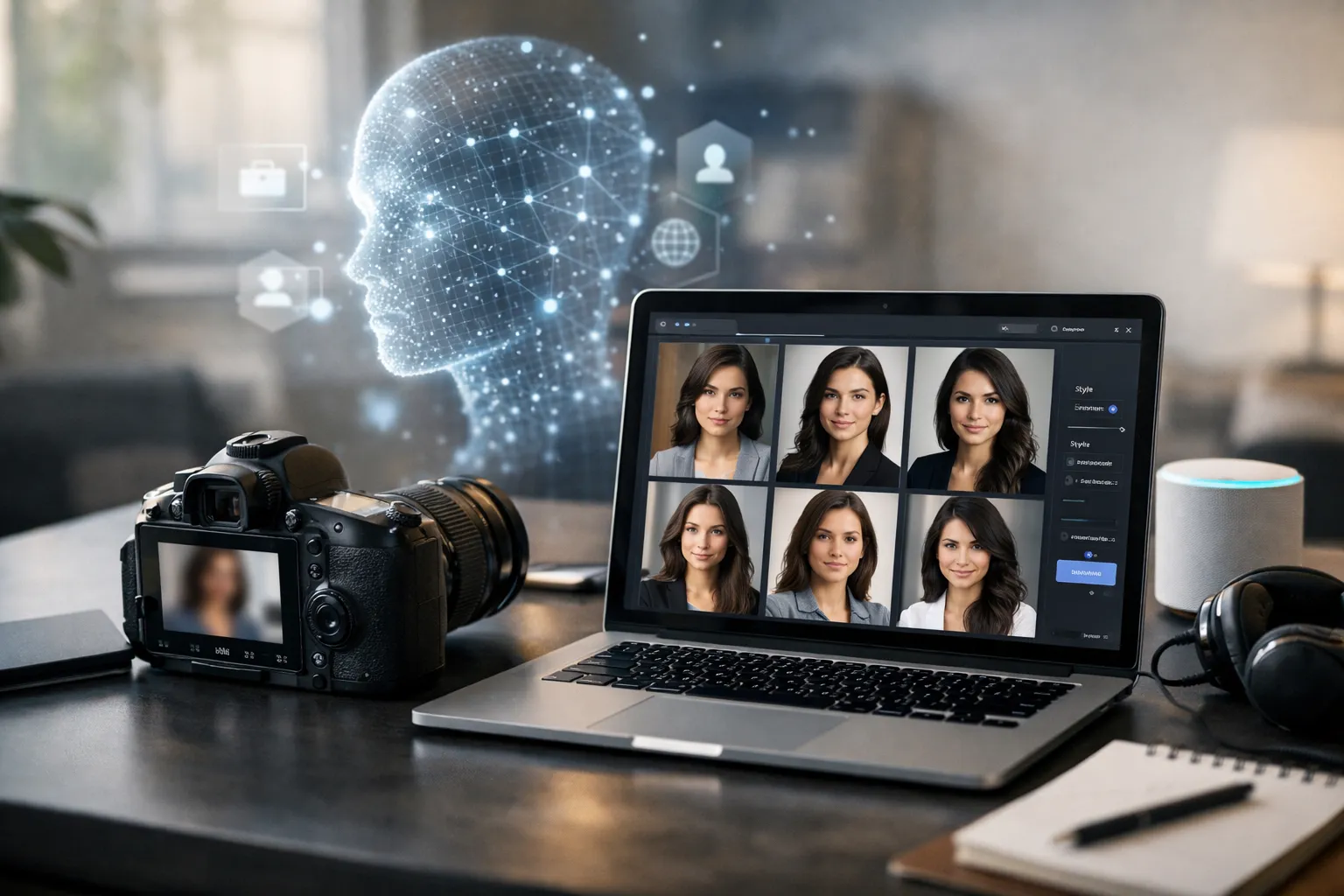
Ethical Guidelines for AI-Generated Headshots on LinkedIn
Ethics isn’t an abstract debate here. It’s the difference between a polished profile and a misleading one. The simplest question to ask is: does this image accurately represent who I am today in a professional context?
In 2026, ethical practice is also a competitive advantage. People remember when something feels honest. And they remember when it doesn’t.
When and how to disclose AI usage on profiles and brand pages
Disclosure is most important when the image could reasonably mislead. If your headshot looks like a conventional photo and is based on your real appearance, disclosure is often optional. If your portrait materially changes your look, implies a setting you weren’t in, or is used in an employer branding campaign, disclosure becomes more relevant.
Some organizations include a light note in internal brand guidelines and a statement in campaign FAQs. For public messaging, keep it calm and factual.
Avoiding misrepresentation: seniority, awards, uniforms, and settings
Misrepresentation isn’t only about face changes. It includes context cues. A military uniform, a lab coat, a hard hat, a luxury office, or a stage background can imply credentials or experiences. Avoid those unless they’re true and appropriate.
A useful boundary: you can polish the photo quality, but you shouldn’t fabricate achievements.
Fairness and bias: equitable outcomes across demographics
Fairness means every employee gets a portrait that meets the same quality standard without being “normalized” into a narrow beauty template. Build fairness into your evaluation and review process, and let employees flag concerns without friction.
When in doubt, ask the people represented. They’re the experts on their own identity.
Recommended review process and escalation paths
A review process should be simple enough to run, but strong enough to catch obvious issues. That often means one automatic check for artifacts, then a human review for a defined subset of roles.
“The goal is not to hide the use of AI. The goal is to avoid creating a false impression.”
If you need a general reference for truthful marketing and disclosure norms, the FTC guidance on endorsements and advertising is a practical baseline, even outside influencer contexts.
Enterprise Adoption of AI Headshots for Employer Branding 2026
Enterprise programs are where AI portraits become a real system. The work is less about generating images and more about integrating identity assets into the tools employees already use.
This is also where the 2026 AI headshots outlook gets concrete: if you can deploy portraits like any other brand asset, you can refresh your employer brand without waiting for perfect logistics.
Business drivers: consistency, speed, and cost containment
Enterprises adopt because they want consistent brand presentation across thousands of people. They also want speed: new hires, leadership changes, and reorgs happen constantly.
Cost containment is real, but it isn’t just “photography is expensive.” Coordination overhead scales poorly. A repeatable portrait pipeline reduces friction across HR, design, and regional teams.
Stakeholder map: HR, Talent Brand, Design, IT, Security
Large programs succeed when there’s a single accountable owner, usually in Talent Brand or Corporate Comms, and clear partnership with HR Operations. Design teams define the style system. IT and Security review vendors and integrate with identity systems.
Procurement needs documentation. Legal needs clear consent. And employees need a process that feels respectful rather than mandatory and mysterious.
Integration patterns: HRIS, DAM, SSO, and directory sync
Integration is where the value multiplies. Common patterns include SSO for intake, a DAM as the source of truth, and directory sync so portraits appear in the org chart and collaboration tools.
Some teams also connect portraits to HRIS records so job changes trigger refresh prompts. That’s especially useful when customer-facing roles require current imagery.
Mini-case: Global employer brand refresh with AI portraits
A global services company used AI portraits as part of a careers site refresh across 18 countries. They created three region-specific looks, trained local HR partners on intake, and routed final approvals through a central brand team.
In eight weeks, they updated portraits for 2,400 employees featured on recruiting pages and thought leadership content. Their talent analytics team reported a 14% increase in careers page conversion to “apply” clicks compared with the prior quarter, with the biggest lift coming from pages where employee profiles had been updated from mixed-quality photos to a consistent style.
Implementation and Governance: A Phased Rollout Framework for Large Teams
A rollout framework keeps you from getting stuck in endless revisions-or, worse, launching a system you can’t defend later. The goal is to move quickly while maintaining a standard you can explain.
Think of governance like seatbelts. You only notice them when you need them.
Phase 0-1: Pilot design, gold-standard set, and quality gates
Start with a pilot group that represents the diversity of your workforce and the variety of roles. Build a gold-standard set of portraits that your brand team approves, then write down what made them pass.
Quality gates can be simple: clear likeness, no obvious artifacts, consistent crop, and approved background. If a portrait fails, it goes to revision or falls back to a traditional photo. (Yes, “fallback” is a feature. It’s how you keep trust intact.)
Phase 2-3: Scaling, automation, and training at speed
Scaling is mostly operations. Automate intake reminders, standardize naming, and create a self-serve portal for employees to upload photos and select a style.
Training should be short and practical. People need to know what photos to upload and what to expect. If the process feels confusing or fragile, participation drops-and then you’re stuck with the worst outcome: half the org updated, half not.
Human-in-the-loop reviews and exception handling
Human review is essential for edge cases: glasses glare, religious attire, mobility aids, scars, or hairstyles that models often mishandle. Exception handling should be respectful and fast. The goal isn’t to police people; it’s to ensure everyone gets an outcome they’re comfortable with.
Risk register, incident response, and change control
Below is a compact rollout checklist you can adapt. Keep it visible, update it monthly, and treat it like a living document:
- Define scope and excluded use cases, such as government ID badges or regulated credentials.
- Document consent language, retention periods, and deletion workflows.
- Set quality gates and escalation paths for bias concerns and misrepresentation risks.
- Establish audit logs for access to source images and final portraits.
- Create an incident response plan for data exposure, misuse, or employee complaints.
- Implement change control so style updates don’t fragment your portrait library.
Measuring Impact: KPIs, A/B Tests, and ROI Models for AI Headshots
If you don’t measure impact, you end up debating aesthetics. Measurement turns portraits into a business lever. The trick is choosing metrics that match the actual job your headshots are doing.
A memorable one-liner: if it’s not measured, it becomes a taste argument.
LinkedIn metrics: profile views, connection acceptance, InMail response
For individual professionals and outbound teams, the cleanest signals are profile views, connection acceptance rate, and InMail response. Track changes before and after a headshot update, and keep the rest of your profile stable if you want a clean read.
For teams, consider segmenting by role. Sales development may see different effects than recruiting, because prospects and candidates respond to different trust cues. Ask yourself: are you optimizing for “approachable,” “expert,” “modern,” or “authoritative”? Those are different photos.
Talent funnel: careers conversion, time-to-hire, candidate quality
In talent, portraits influence perception of the company, not just individuals. Track careers page conversion rates, recruiter outreach response, and time-to-hire.
Candidate quality is harder, but you can use proxies: interview-to-offer rates, hiring manager satisfaction scores on candidate fit, or candidate drop-off rates after recruiter outreach. The portrait is never the only driver, but it can remove friction.
Sales and CX: trust signals, meeting acceptance, NPS lift
For sales, measure meeting acceptance and reply rates in sequences where the sender photo is visible. For customer success, track whether updated team pages reduce confusion during onboarding.
Some teams also test whether consistent headshots on proposals and QBR decks correlate with retention and NPS. The effect is usually subtle-but subtle wins compound.
Experiment design: A/B vs holdouts and longitudinal tracking
A/B testing works best when you can randomize exposure, such as outbound email campaigns where some recipients see the old headshot and some see the new. Holdout groups are useful for company-wide rollouts: keep one business unit on the old system for a quarter, then compare.
Longitudinal tracking matters because novelty fades. The goal is sustained trust, not a short-term spike.
FAQ: AI Headshots Trends 2026
These are the questions people keep asking as AI portraits move from experimentation to everyday use. The short version: good results come from clear inputs, realistic expectations, and a little governance.
Are AI headshots allowed on LinkedIn in 2026?
LinkedIn generally focuses on authentic identity and professional representation. An AI-generated portrait can still represent you, but you should avoid images that mislead about who you are or what you’ve done. If your photo materially changes your appearance, consider a simple disclosure.
When policies change, check the platform’s latest guidance and align with your employer’s brand standards if you’re representing a company.
How many source photos should I upload for the best results?
Most tools perform better with a variety of angles and lighting conditions, but not a massive dump of near-duplicates. A practical range is 10 to 20 photos with clear face visibility, minimal filters, and different expressions.
If you wear glasses often, include multiple glasses photos. If you sometimes wear them and sometimes don’t, decide which look you want to represent professionally and be consistent.
Can AI headshots work for regulated industries or public sector roles?
Yes, but the bar for governance is higher. Regulated roles often require stricter controls on retention, auditability, and misrepresentation risk. Many organizations use AI portraits for internal directories and public bios but keep official ID photos strictly photographic.
Your compliance team may also require that vendors do not train on your images and that deletion is verifiable.
What are the signs my AI portrait is over-processed or uncanny?
Look for overly smooth skin with no texture, teeth that look uniformly bright, hair edges that melt into the background, asymmetry in earrings or collars, and backgrounds that contain impossible geometry.
A simple test is to shrink the photo to thumbnail size, then zoom in. If it looks fine small but strange up close, you probably have artifact issues.
Do AI headshots help or hurt perceived authenticity with prospects and candidates?
They help when the portrait looks like a realistic professional photo and matches your real appearance. They hurt when the image looks too perfect, implies a lifestyle you don’t have, or seems inconsistent with your other photos.
If you’re in a trust-heavy role like recruiting or advisory services, consider using a more natural style and avoid dramatic studio effects.
How often should teams refresh headshots for accuracy and brand consistency?
A common cadence is every 12 to 24 months, with exceptions for role changes, major appearance changes, or brand refresh cycles. For fast-growing teams, an “onboarding portrait” process matters more than a fixed annual refresh.
If you operate a style system, refreshes become easier because you can update portraits without reinventing the look each time.
Conclusion: Where AI Headshots Are Headed Next-and How to Prepare
The next phase of this market isn’t just prettier portraits. It’s tighter integration, stronger provenance signals, and clearer norms about what’s acceptable in professional contexts. As synthetic portrait trends mature, the winners will be the people and companies who treat portraits as a trust asset-not a cosmetic trick.
To prepare, focus on three things. First, build a repeatable workflow: clear source photo guidance, style standards, and review steps. Second, choose tools based on fit: identity fidelity, controls, security posture, and support. Third, set expectations early: what you disclose, what you won’t generate, and how employees can opt out or request changes.
One last question to sit with: if your headshot is the first “hello” someone gets from you, what do you want that hello to say?
A final thought: your headshot is a handshake you can scale. Make it honest, make it consistent, and make it easy to keep current.
If you’re building a repeatable program for teams, this overview on corporate headshots and scalable standards is a useful next read.